Making an MP3 can be useful for songs you recorded, music you manage for a client, or licensed tracks used in an approved project. The essential first step is always the same: confirm that you have the right to make and keep an audio copy before using an online converter.
Check the music rights before you start
A song can involve rights in the composition, lyrics, sound recording, performance, and video. You need a valid right or authorization for the audio you plan to convert and for your intended use of the MP3.
Examples of potentially appropriate sources include your own channel uploads, music created for your organization, client projects where permission is documented, or works distributed under a licence that permits your intended use. When in doubt, ask the rights holder.
How to download authorized songs to MP3
- Confirm your permission. Verify that you own the song or have authorization from the relevant rights holder.
- Copy the public link. Open the authorized YouTube video and copy its complete URL.
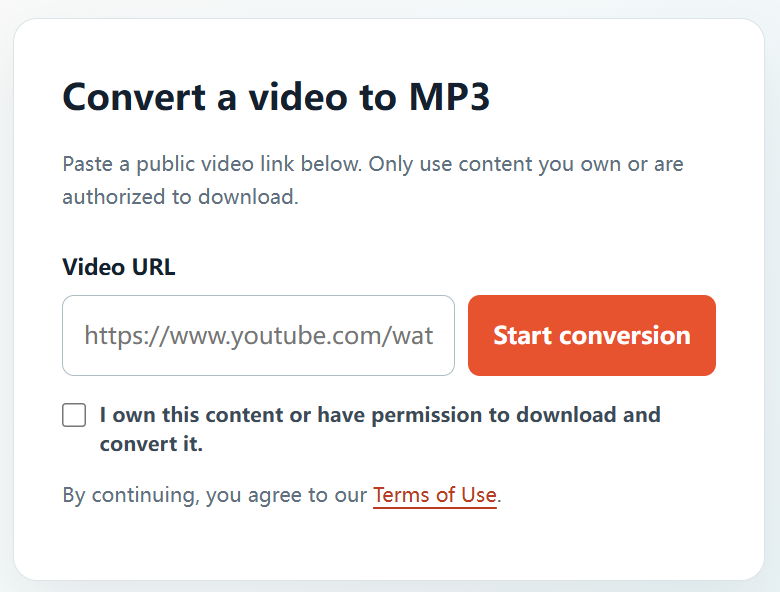
- Visit YTBMP3.NET. Go to the homepage converter and paste the URL into the Video URL field.
- Tick the confirmation box. Confirm that you own the content or have permission to download and convert it.
- Start the conversion. Select Start conversion and keep the page open while the audio is prepared.
- Download the MP3. Select Download once the authorized audio file is ready.
Manage your music files responsibly
- Store licences, agreements, split sheets, and creator approvals with your project files.
- Follow any credit, attribution, geographic, term, or commercial-use conditions in your licence.
- Keep your original master recording whenever it is available.
- Do not use the converter to copy commercial songs or other private, restricted, or unlicensed music.
Frequently asked questions
Can I download songs that I uploaded to YouTube?
Yes, provided you own or control the relevant rights in the music and video, or have the necessary authorization.
Can I download a song by another artist?
Only with the rights holder’s permission or under a licence that clearly allows the download and conversion you intend to make.
How can I start?
Visit the YTBMP3.NET homepage, paste an authorized public video URL, confirm your rights, and start the conversion.