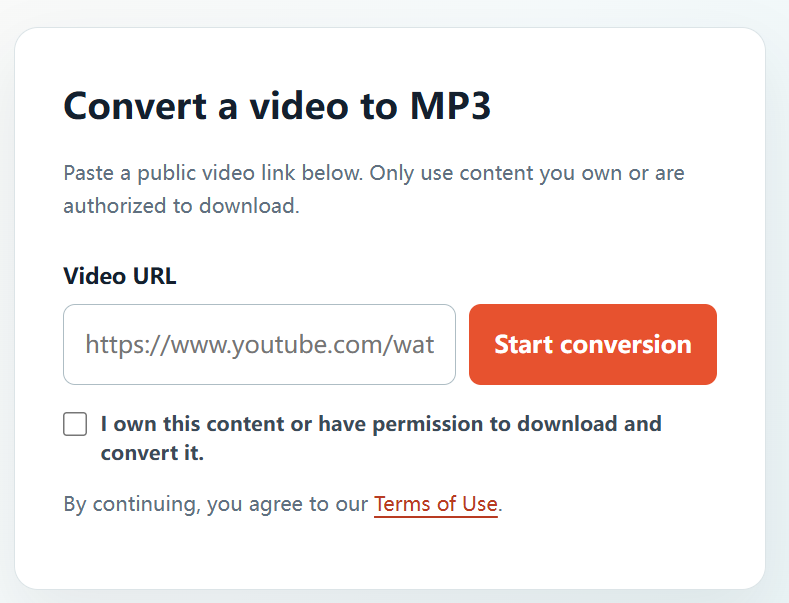
A browser-based workflow can be useful when you want to avoid installing an additional app for a one-off approved audio task. YTBMP3.NET is available directly from the homepage, so an authorized conversion can begin from a current browser.
Why use a browser-based workflow?
Using a browser means there is no separate installer to manage for this task. You still need to confirm that the video is public, that you have the right to convert it, and that you will use the MP3 only within that permission.
Convert without installing software
- Open the public YouTube video that you are allowed to convert.
- Copy the full video URL.
- Open the YTBMP3.NET homepage in your browser.
- Paste the URL and tick the rights confirmation box.
- Start conversion while keeping the page open.
- Download the completed MP3 from your browser.
Stay safe online
- Do not install unknown browser extensions to complete a conversion.
- Do not provide account credentials to a converter.
- Keep your browser updated.
- Use only the complete URL for content you are authorized to use.
Keep authorization at the center
The convenience of an online tool does not change copyright or licence requirements. Convert only material that you own or are allowed to download and reuse.
Frequently asked questions
Do I need to sign up?
No account is needed for the YTBMP3.NET converter. You remain responsible for having permission.
Can I use any browser?
Use a current browser and a stable connection for the best experience.