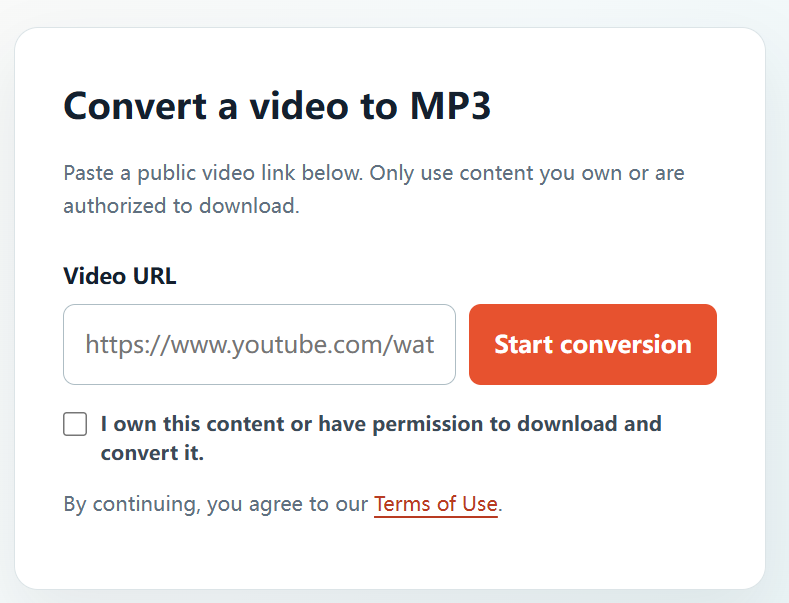
Android users can use a browser-based workflow to prepare audio from their own videos and approved project media. YTBMP3.NET keeps the steps short while placing the permission confirmation before conversion.
Permission comes first: Only use YTBMP3.NET for video or audio that you own or are explicitly authorized to download and convert. A public link does not automatically give permission to make a copy. This guide is general information, not legal advice.
Check your source before converting
Use only a public video URL that you are entitled to download and convert. That may include your own channel uploads, client footage with approval, or content covered by a suitable licence.
Convert an authorized video on Android
- Open the permitted YouTube video on your Android device.
- Copy its full public URL from the Share menu or address bar.
- Open YTBMP3.NET in your browser and paste the URL.
- Confirm that you own the content or have authority to convert it.
- Select Start conversion and leave the page open while processing finishes.
- Select Download and locate the MP3 in your browser downloads or Files app.
Android download tips
- Use the complete video URL, including its video ID.
- Keep a stable connection while the audio is prepared.
- Open your browser Downloads list if the file is not visible right away.
- Avoid submitting the same conversion more than once.
Keep projects organized
For client or team work, keep a copy of the approval, licence, or agreement with the audio file. The MP3 should only be used within the scope of those rights.
Frequently asked questions
Will this work in a mobile browser?
Yes. The converter is designed for current mobile browsers when the video link is public and authorized.
Can I convert any public video?
No. Public visibility does not itself grant permission to download or convert the video.