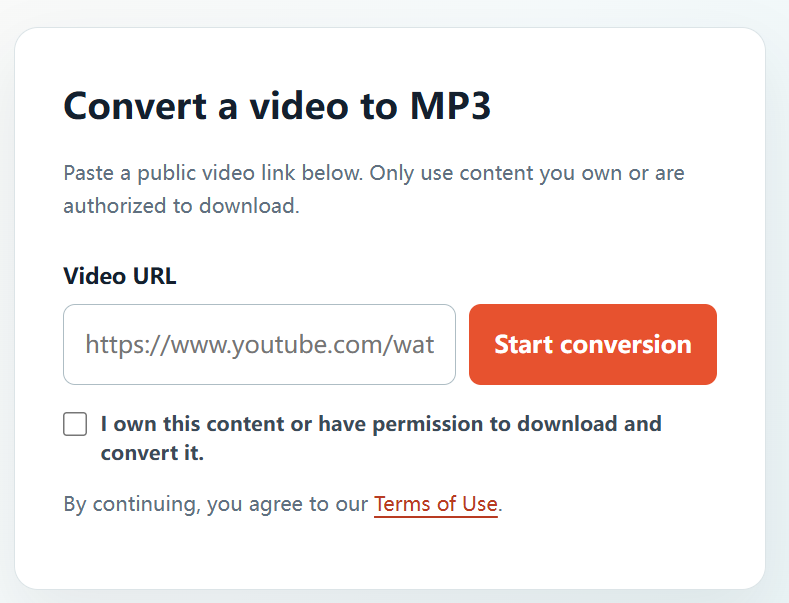
Online audio conversion is useful when an approved video needs to become an audio reference, a production asset, or a personal archive copy. The simple part is entering the link; the essential part is confirming that you have the right to use it.
Permission comes first: Only use YTBMP3.NET for video or audio that you own or are explicitly authorized to download and convert. A public link does not automatically give permission to make a copy. This guide is general information, not legal advice.
Choose an authorized public video
Start with a complete public URL for content you own, commissioned work you are authorized to manage, or material with a clear reuse licence. Avoid private, restricted, or unlicensed sources.
Convert video to audio online
- Open the authorized public YouTube video.
- Copy its complete URL.
- Go to YTBMP3.NET in your browser.
- Paste the URL and confirm your permission to convert.
- Select Start conversion and wait for the processing step.
- Download the ready MP3 file.
Online conversion checklist
- Use a reliable connection for long-form content.
- Do not close the page before processing finishes.
- Check the source URL before submitting it.
- Keep a record of the permission associated with the file.
Keep downloads purposeful
An MP3 should support the specific approved purpose you had in mind. Do not distribute or reuse audio beyond the rights you received.
Frequently asked questions
Is this an online process?
Yes. YTBMP3.NET is accessed through a browser for authorized public video URLs.
Can I make audio from a private video?
No. Do not use the service for private or restricted content.