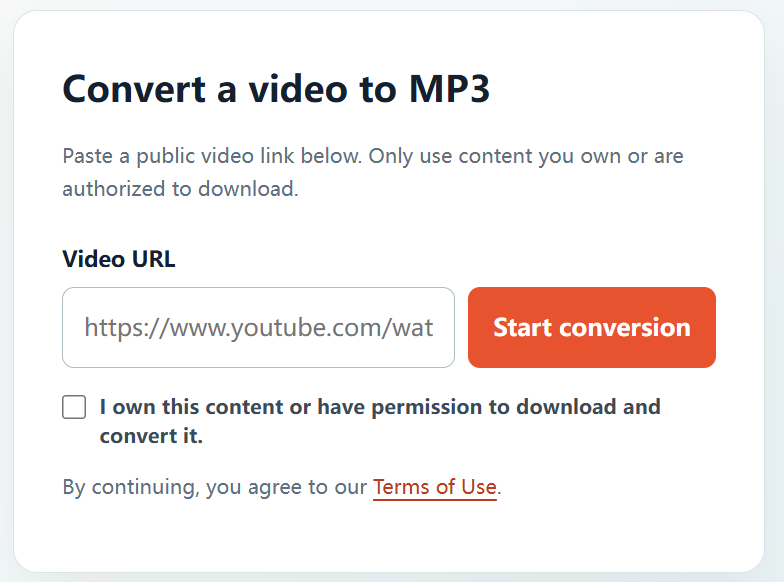
When you need an audio version of a video you created, licensed, or were authorized to use, converting it to MP3 can make listening and editing more convenient. YTBMP3.NET provides a clear workflow for preparing MP3 audio from permitted public video links.
Before you convert a video
Check that you have the rights needed to make an audio copy. Suitable examples include your own YouTube uploads, material shared with your written permission, public-domain media, or content released under a licence that allows the intended use.
If you are working for a business, school, or client, keep the licence or permission record with your project files. If the rights are unclear, contact the creator or copyright owner before continuing.
How to convert an authorized YouTube video to MP3
- Open the video. Go to the public YouTube video that you are permitted to convert.
- Copy its URL. Copy the complete address from your browser’s address bar or the video’s Share option.
- Visit YTBMP3.NET. Open the homepage converter and paste the link into the Video URL field.
- Confirm your permission. Select the confirmation box only after verifying that you own the content or have authorization to download and convert it.
- Start conversion. Select Start conversion and keep the page open while your MP3 is prepared.
- Download the MP3. Once processing has finished, use the download button to save the completed audio file.
Why a longer video can take more time
The site needs to retrieve the authorized media, extract the audio, and prepare the MP3 file. Larger files and longer videos naturally need more processing time. Keep the browser page open until the download is ready, and avoid submitting the same conversion repeatedly.
Tips for a smoother conversion
- Paste the complete public video URL, including the video ID.
- Use a stable connection and leave the conversion page open.
- Choose the original media file when available, as it is usually the highest-quality source.
- Keep your downloaded MP3 only for the use covered by your permission or licence.
Frequently asked questions
Can I convert a video that somebody else uploaded?
Only if the owner has authorized you to do so or the video’s licence clearly permits downloading and conversion for your intended use.
Do I need to create an account?
No account is required for the converter. You are still responsible for confirming that you have the necessary rights to the video.
Where can I start?
Go to the YTBMP3.NET homepage, paste the URL of an authorized public video, and follow the confirmation step before converting.